Use case
AI clothing model generator
An AI clothing model generator puts your garment on a photorealistic model from one product photo, with no shoot. In AURA Studio you upload the garment, pick one of four house models or upload your own, choose the pose, scene and light, and get up to 12 on-model photos per shoot with the same face in each. The first week is free, then plans start at €29 a month.
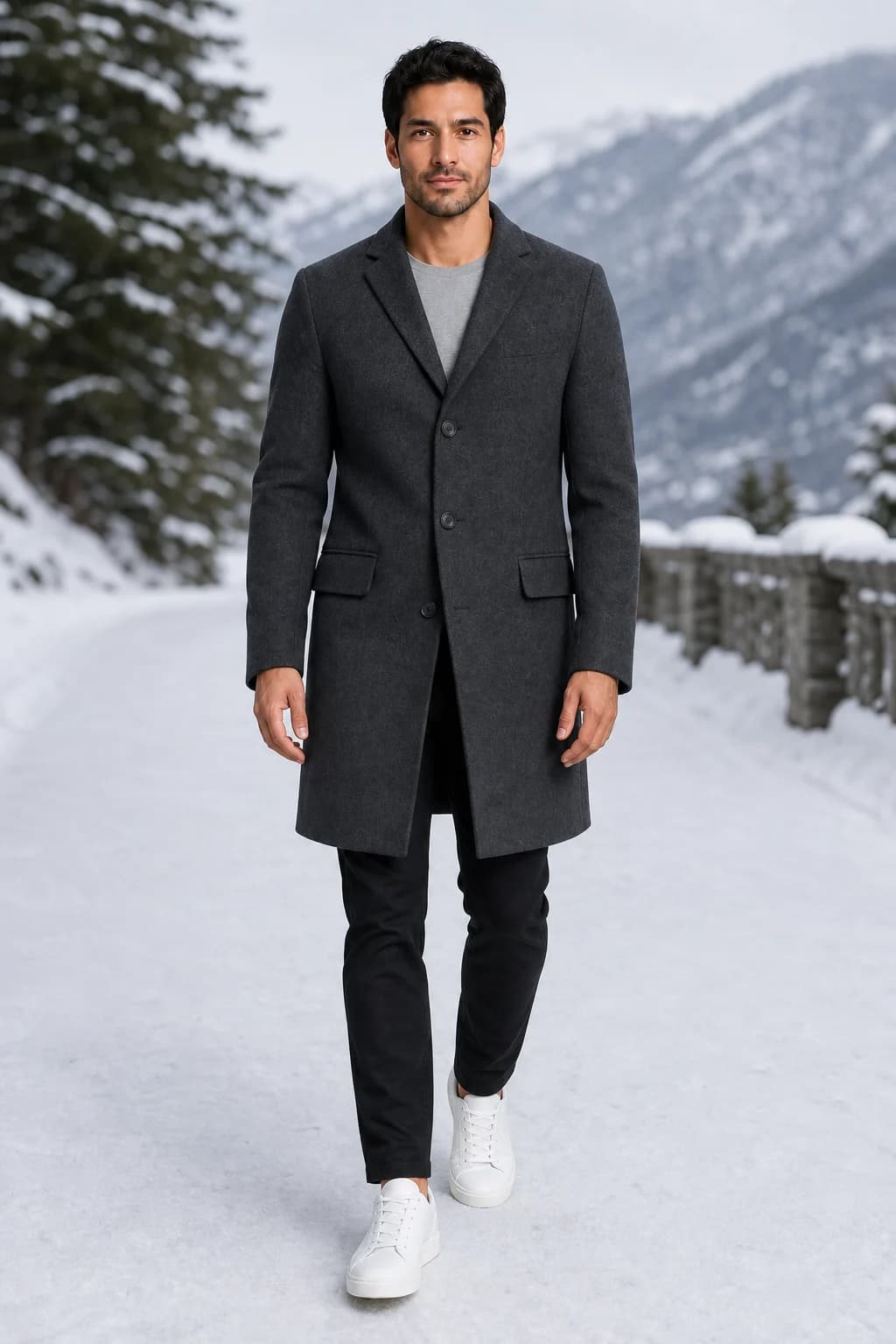
What it keeps, and what it decides
The garment's colour, print, cut and hardware come from your photo; the face, hair and build come from the model reference. Anything you did not supply is the generator's call: the shoes, the trousers under a jacket, the back of a dress. Pick a reference dressed in the basics you want, because those carry over.
House models or your own
Start with one of four house models, two women and two men, or upload one full-length photo of your own model. The reference is stored, so the same face comes back on every garment. If your model is a real person, get their written consent first.
Direct it like a shoot
Choose from 18 poses, 24 scenes, 9 framings, 9 lighting setups and 7 expressions, or upload a photo of your own shop as the scene. One shoot crosses your poses with your scenes for up to 12 photos, or you can start from a template such as a lookbook or a sale story.
Sized for where it goes
Custom shoots come out square or 2:3; templates add 4:5 feed posts (1080x1350) and 9:16 stories (1080x1920). Templates with a price or a badge keep the text on its own layer, so changing it later is free. Any finished photo can become a 5, 8 or 12 second video.
What it costs
One credit is one photo, whether it is a new generation, an edit or an upscale. The free week gives 13 credits, enough for 10 photos and one short video, with no card. Starter is €29 a month for 150 credits, Studio €89 for 500 and Scale €249 for 1,500.
Where it falls short
It takes one garment image per photo, so a top and trousers only go together if they are in the same picture. Hem length and sleeve volume can drift from the real piece, so check every photo against it before you post. Files stop at 1080x1920, not 2K or 4K, and there is no API, store app or ghost mannequin output.
How it works
Upload
Upload one photo of the garment and one photo of your model.
Choose a look
Pick a template, or a scene, pose, and light.
Post
Get the image in feed, story, and reel sizes, ready to post.
Questions
- What is an AI clothing model generator?
- A tool that takes a photo of a garment and returns photos of a person wearing it, without a shoot. You give it a flat lay, ghost mannequin or hanger photo of the piece and a model to wear it, and it redraws the garment on that person in the pose and scene you choose.
- Can I use my own model?
- Yes, on every plan. Upload one full-length photo with the face clear and the whole body in frame, and AURA reuses it for every garment. Get written consent from anyone whose photo you use.
- What garment photo do I need?
- One clear photo of the whole piece: a flat lay, ghost mannequin or hanger shot, taken straight on in even daylight, as a PNG, JPEG, WebP or AVIF file up to 12 MB. A phone photo is enough if nothing is folded under or cut off.
- How many photos can I make?
- One credit makes one photo, and a single shoot makes up to 12. Starter's 150 monthly credits cover 150 photos, or fewer if you also make video, and unused credits roll over for one month.
- Will the clothes look exactly like mine?
- Colour, print and hardware hold best when your photo shows them clearly. Hem length, sleeve volume and anything hidden in your photo are where results drift, so compare each image with the real piece and regenerate a miss for one credit.
- Do I need a Shopify store or an integration?
- No. You download the photos and post them wherever you sell. That also means there is no store app or API to push images into a catalog for you.
- Can it make video as well?
- Yes. Any finished photo becomes a 5, 8 or 12 second clip with a camera move you choose, from 3 credits for 5 seconds at 720p.