Guide
How to keep the same model across every AI fashion photo
By The AURA Studio team. Published .
AI models change face because a text prompt describes a kind of person, not a person, so every generation samples a new one. To keep one model across a catalog you have to hand the image model the identity itself: a reference photo supplied with every generation, a model trained on several photos of that person, or a tool that stores the reference for you. If the model is a real person, get their written consent first.
Why the face changes between photos
A prompt like "a dark-haired woman in her late twenties" describes millions of possible people. An image model reads it, starts from random noise, and settles on one of them. Generate again with a different garment in the prompt and it settles on another. Nothing in that process carries a memory of the face it drew last time, so the person in your second product photo is a stranger who happens to fit the same description.
This is a known limitation of the technology, not a setting you missed. The researchers behind DreamBooth put it plainly when they introduced their fix: text-to-image models "lack the ability to mimic the appearance of subjects in a given reference set and synthesize novel renditions of them in different contexts" (DreamBooth, 2022). Every method that keeps a face consistent works by giving the model that missing reference.
Fixing the random seed, the trick most prompt guides suggest, does not solve it for fashion. A seed only reproduces an image when everything else stays the same, and in a catalog the one thing that always changes is the garment.
The three ways to hold one identity
| Route | What you need | Setup | Where it fits |
|---|---|---|---|
| A reference photo with every generation | One clear photo of the person | None. You attach the photo each time and tell the model to keep the face | Occasional shoots in a general tool such as ChatGPT or Gemini, or any fashion tool that accepts an uploaded model |
| A model trained on that person | Several photos of the person | A fine-tuning run, then a custom model to manage | Teams with technical help producing hundreds of images, including unusual angles |
| A fashion tool that stores the model | One photo, uploaded once, or a model from the tool's own roster | Minutes. The tool supplies the reference on every generation for you | Shops shooting new stock every week that want the same face without re-attaching anything |
The reference-photo route is now built into the general image models. Google describes keeping "the appearance of a character or object across multiple prompts and edits" as a core capability of Gemini 2.5 Flash Image (Google for Developers, 26 August 2025), and OpenAI added a high input fidelity setting to its image API that is "especially useful when editing images with faces" (OpenAI Cookbook). The catch is that the reference lives in your chat, not in the tool: you re-attach it, re-state the instruction, and re-check the result on every image.
Training is the older and heavier route. DreamBooth fine-tunes a model on "just a few images of a subject", and later research such as InstantID exists precisely because fine-tuning brings "high storage demands, lengthy fine-tuning processes, and the need for multiple reference images". It still makes sense at real volume with someone technical to run it. For a boutique it is usually more machinery than the problem needs.
One detail from OpenAI's documentation is worth applying anywhere you attach several images: when high input fidelity is on, "the first image in the list preserves the finest detail and richest texture, which is especially important for faces". Put the face reference first and the garment second.
What one held identity looks like
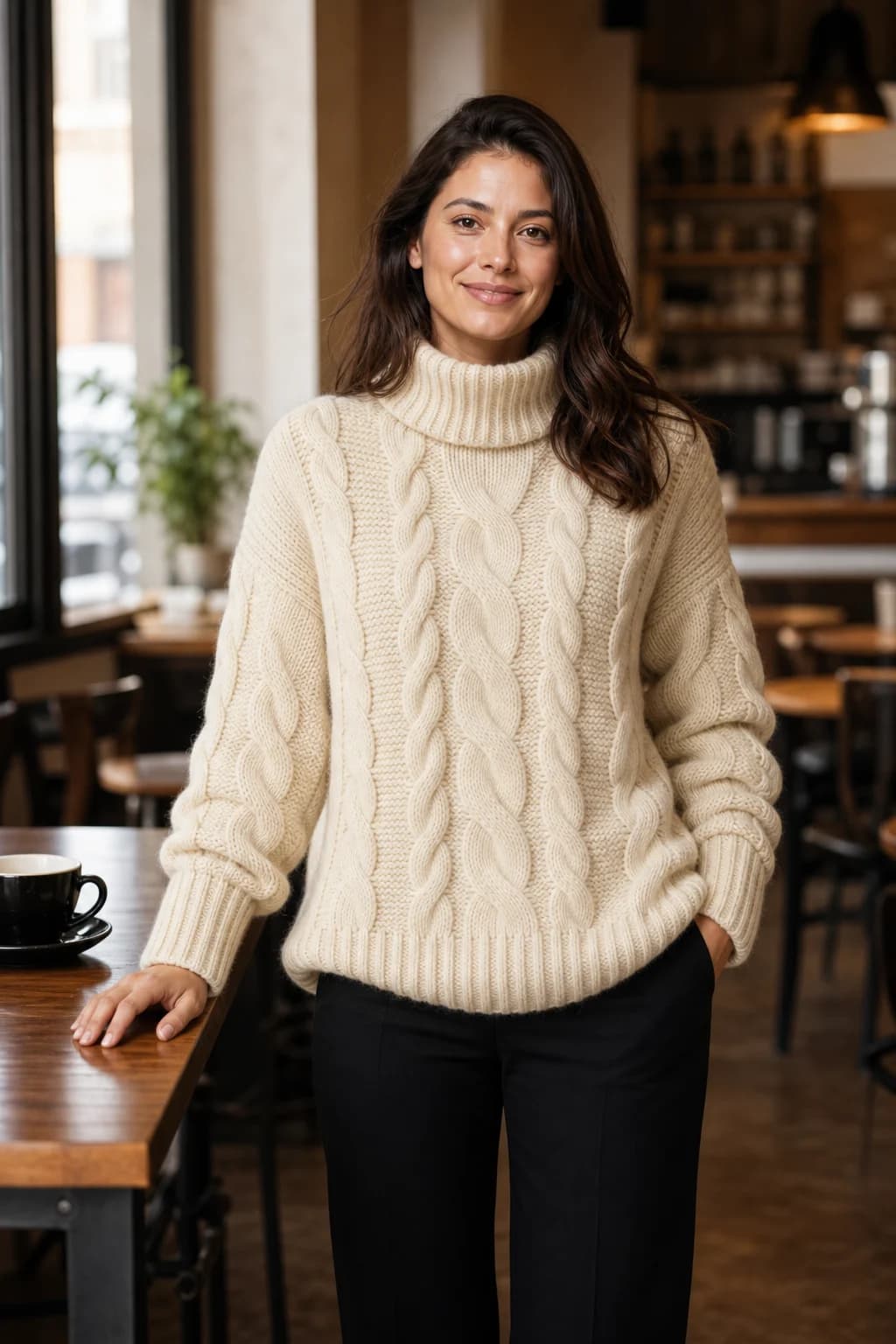
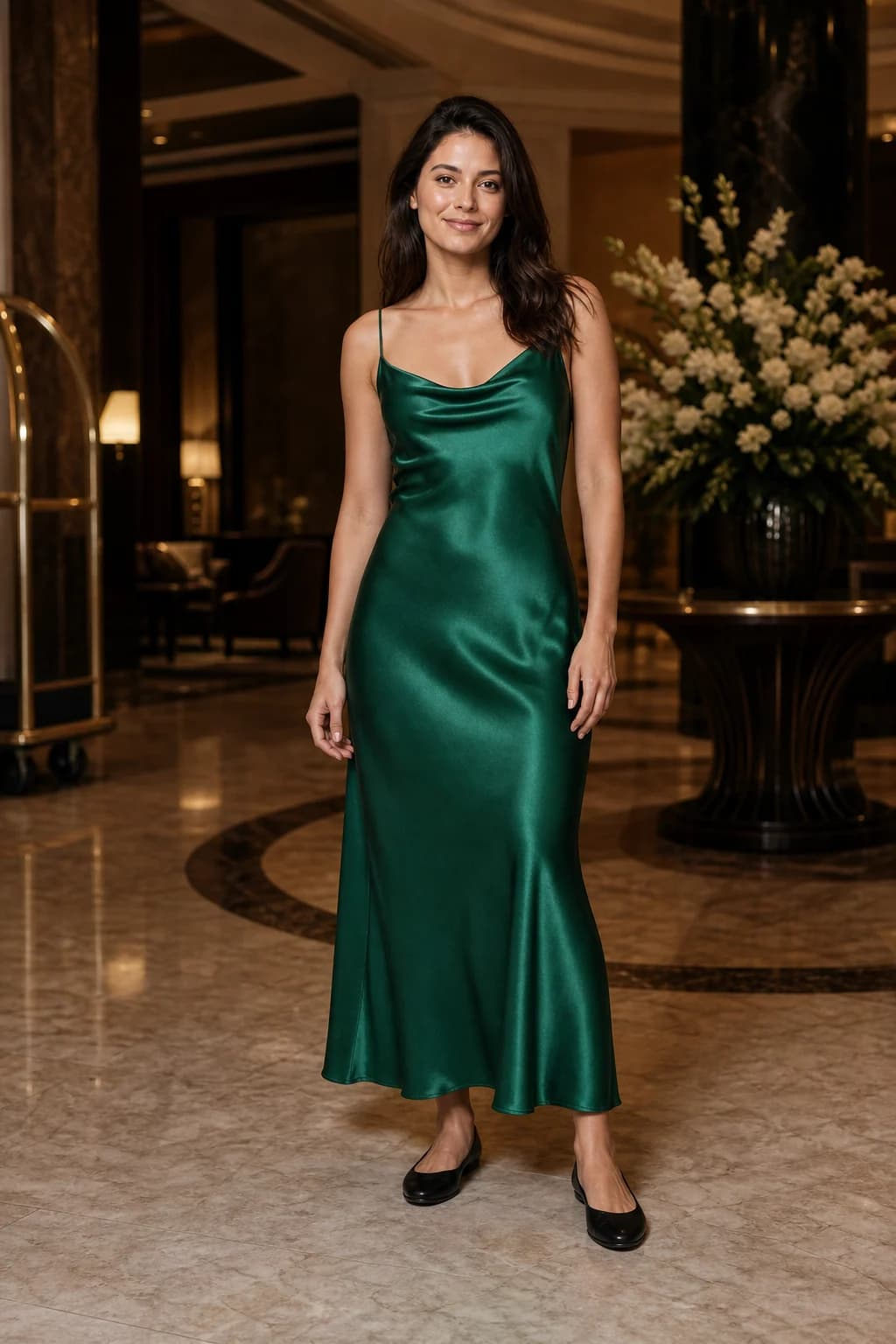
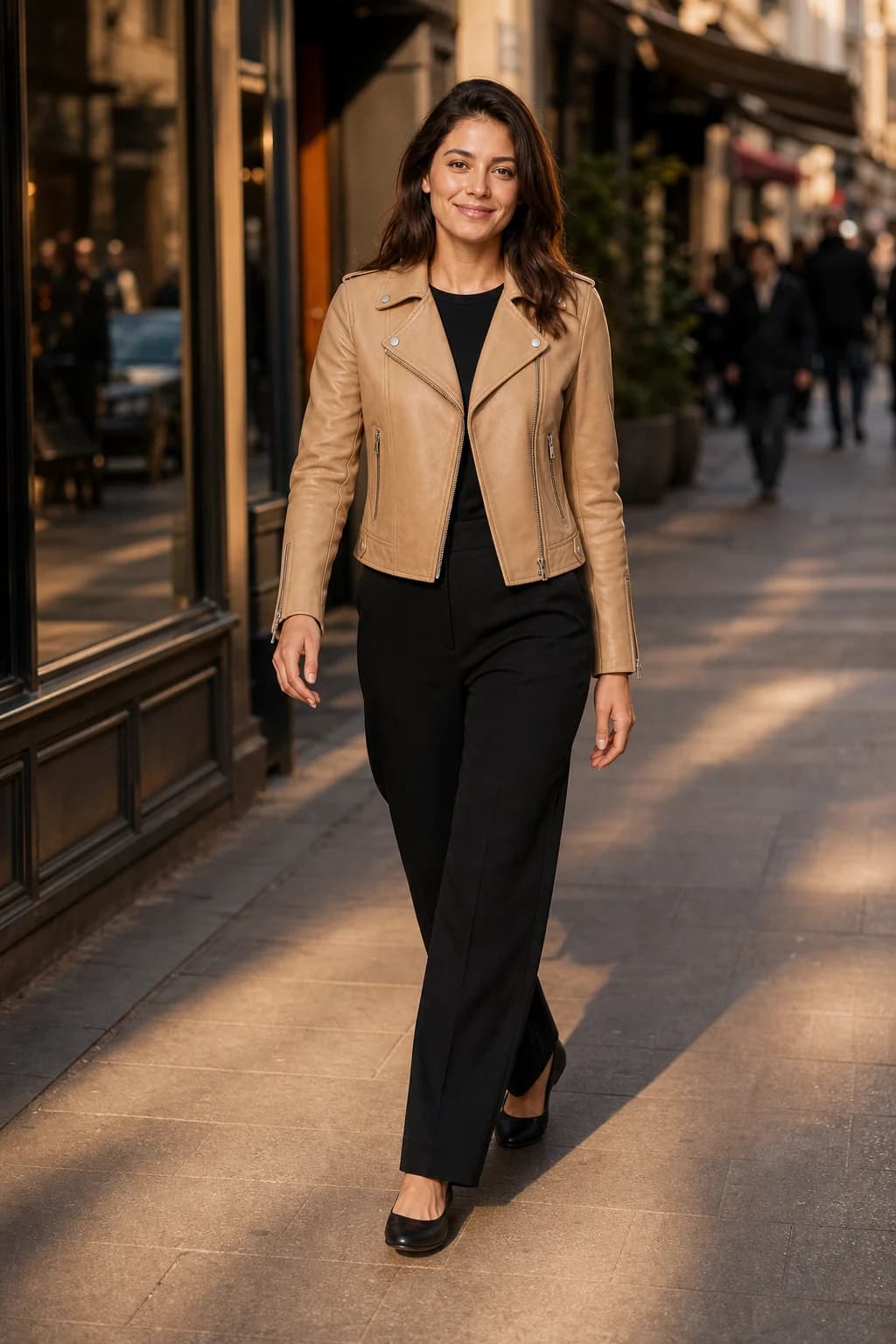
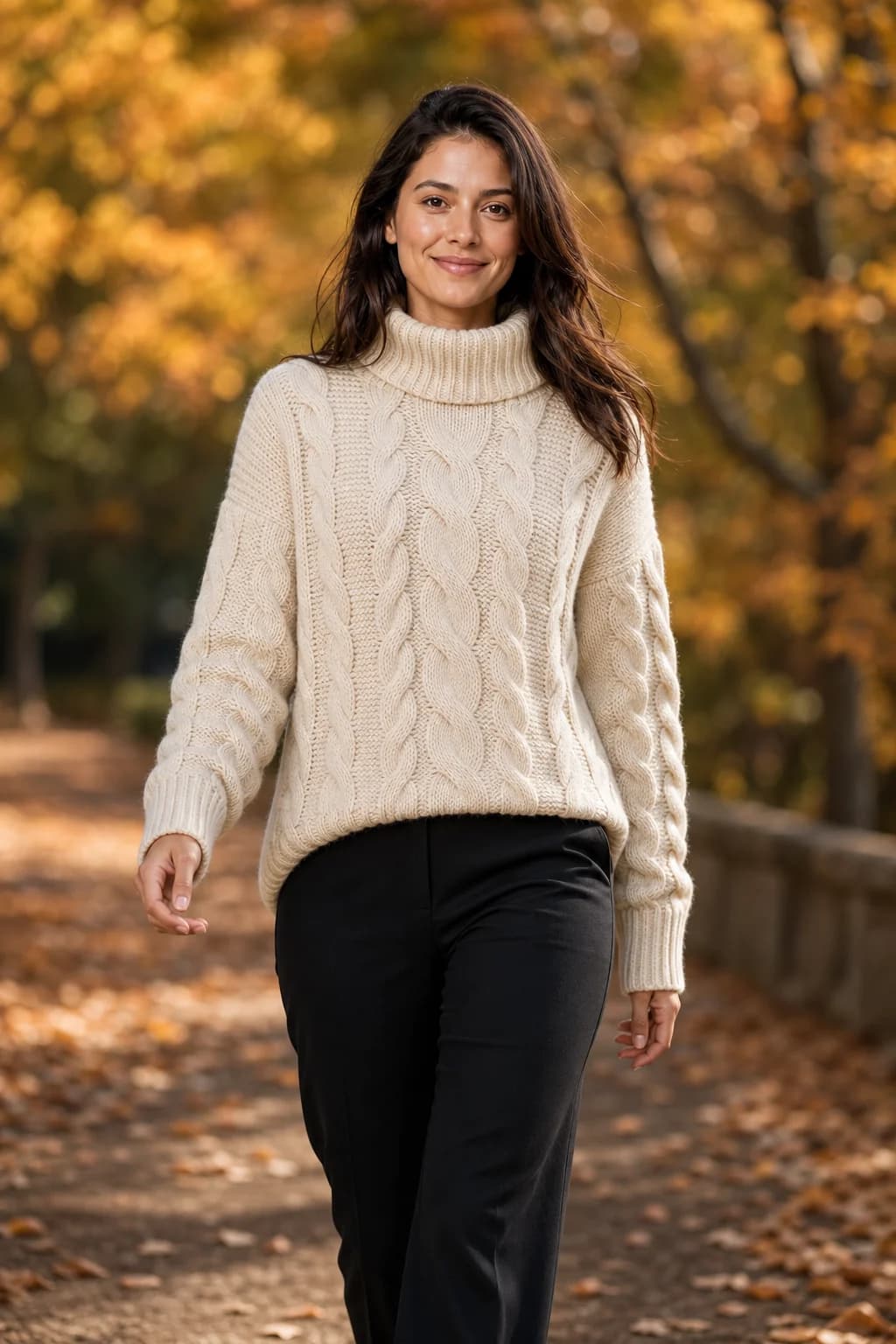
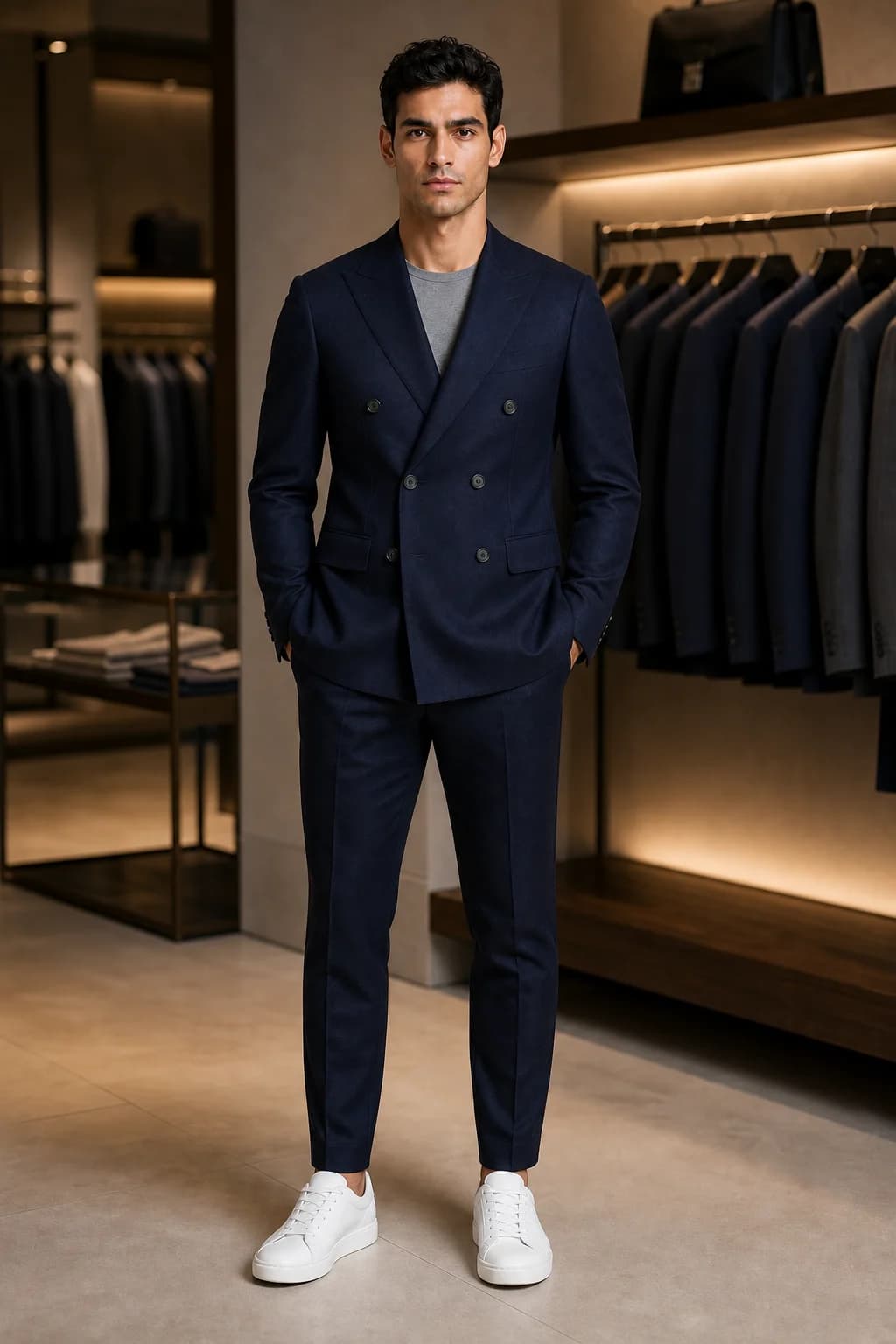
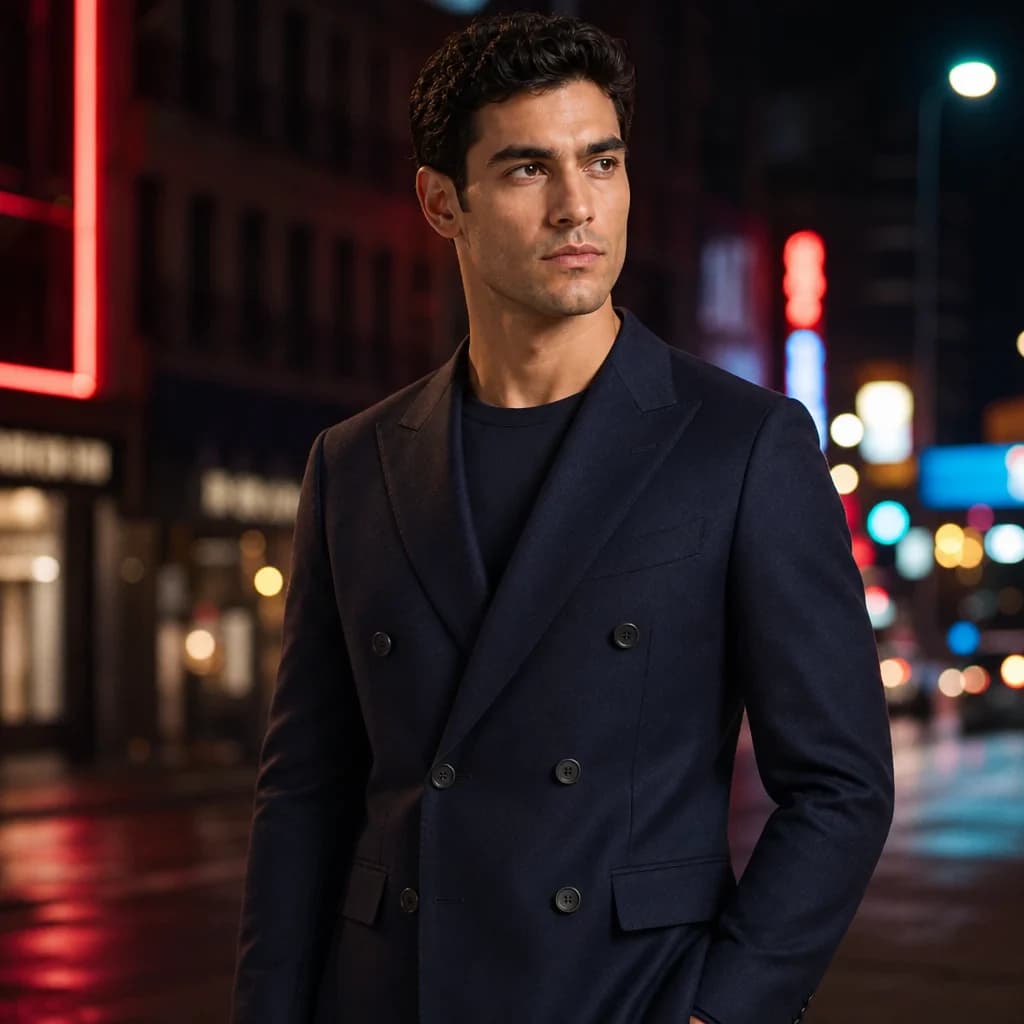
These images were made in AURA from one reference photo of the same model, the demo model every new account starts with, each with a different garment and a different scene preset. None of them was retouched. The garments change; the face, hair, skin tone and build are the reference's.
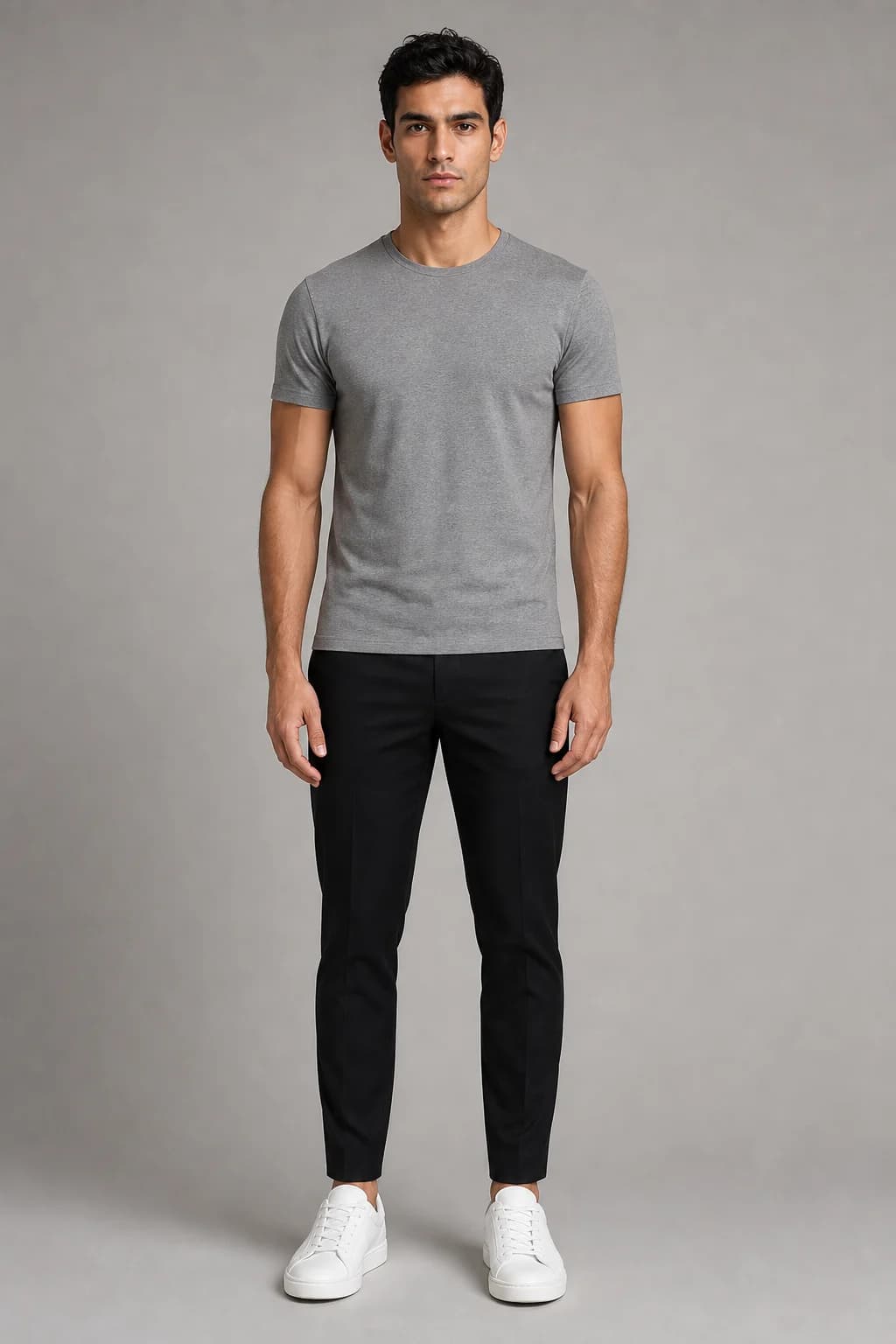
The second set shows the other side of the same mechanism. The model here is an AI-generated house model, and his reference image shows him in a grey T-shirt, black trousers and white trainers. The only garment supplied was the navy suit, so in the full-length boutique shot the trainers came across from the reference photo. That is the rule worth remembering: the model reproduces what you gave it and decides everything you did not.
How to take a reference photo that holds
Whichever route you take, the reference photo is the ceiling. A face the model cannot see clearly is a face it has to guess, and a guess drifts.
Show the whole person, face to feet
Full length, facing the camera, standing straight. A cropped reference leaves the model to invent the proportions it cannot see, and invented proportions are where body shape starts to wander between shots.
Keep the face clear and the light even
No sunglasses, hats or hair across the face. Daylight from a window beside the camera works better than overhead light, which shadows the eyes.
Dress them in fitted, plain basics
A plain T-shirt and slim trousers show the body underneath without competing with the garments you will put on it. Avoid logos and prints, which can bleed into the output.
Choose the shoes and trousers you want to keep
Anything you do not supply as a garment may be carried over from the reference, as the trainers above were. If most of your looks need heels or dark trousers, put the model in them for the reference.
Use a plain background
A blank wall separates the person cleanly from the scene, so the scene you choose later is not fighting the one in the reference.
For the garment side of the same job, see how to photograph a garment so AI reproduces it correctly.
If the model is a real person, get consent first
Using a staff member, a friend or a freelance model as your reference is the cheapest way to get a face that is genuinely yours. It also means generating images of a real, identifiable person, and under the GDPR a photo of an identifiable person is personal data (GDPR Article 4).
- Get consent in writing, and make it specific: AI generation from their photo, commercial use on your channels and product pages, and for how long.
- Agree in advance what happens when they ask you to stop, including which images come down.
- Pay them as you would for a shoot. Their likeness is doing a model's job across every photo you publish.
- Remember the audience side too. A photorealistic person who never wore the garment is the case the EU AI Act's transparency rules are written about, which is covered in our guide to labelling AI fashion photos.
This section is practical guidance written by a product team, not legal advice. Consent rules for likeness differ by country.
Which route fits your shop
- A handful of images a month: a general model with your reference attached is enough, and costs what you already pay. Our comparison with ChatGPT and Gemini covers where that stops working.
- New stock every week, one face across the feed: a fashion tool that stores the model saves re-attaching and re-checking on every image. AURA is built around exactly this, with four house models or one you upload.
- You would rather pick a face than cast one: tools with large model rosters, such as Botika, start there. Our Botika comparison covers the trade-off.
- Hundreds of images, unusual angles, and a developer on hand: a trained custom model is the most controllable option and the most work.
Whatever you pick, judge it on your own hardest case: a full-length shot, a side angle, and the garment with the busiest print. A tool's sample gallery shows its best face; your catalog will show the rest.
Sources
- Ruiz et al.: DreamBooth, subject-driven generation (arXiv, 2022)
- Wang et al.: InstantID, identity-preserving generation from one image (arXiv, 2024)
- Google for Developers: Introducing Gemini 2.5 Flash Image (26 August 2025)
- OpenAI Cookbook: Generate images with high input fidelity
- GDPR Article 4: definitions
Questions
- Why does my AI model look like a different person in every photo?
- Because a text description fits millions of faces and the image model picks a new one each time. Consistency only comes from giving the model the identity itself: a reference photo on every generation, a model trained on that person, or a tool that stores the reference for you.
- Does using the same seed keep the same face?
- Only if nothing else changes. A seed reproduces an image when the prompt and settings are identical, and in a fashion catalog the garment changes on every shot, so the face changes with it.
- Can ChatGPT or Gemini keep the same model across photos?
- Yes, if you attach a reference photo of the person each time and ask it to keep the face. Both Google and OpenAI document reference-based consistency for their image models. The limitation is workflow: the reference lives in your chat, so you re-attach and re-check it on every image.
- How many photos of the model do I need?
- For the reference-photo route, one clear full-length photo. Training a custom model takes several photos of the same person and a fine-tuning step.
- Can I use a photo of myself or an employee as the AI model?
- Yes, with written consent that covers AI generation and commercial use, and an agreement about what happens if they later ask you to stop. A photo of an identifiable person is personal data under the GDPR.
- Do I have to tell customers the model is AI-generated?
- If you sell to customers in the EU, the AI Act's transparency rules have applied since 2 August 2026 and a photorealistic synthetic person is the case they are written about. Our labelling guide covers how to make the call asset by asset.