Guide
The best AI fashion photography tools in 2026, compared honestly
By The AURA Studio team. Published .
There is no single best tool; it depends on what you sell. Checked on 2 October 2026: FASHN is the cheapest full fashion studio, Botika has the deepest model gallery plus retouching, Photoroom suits sellers of more than clothing, Nightjar and Claid suit catalogs and developers, WearView and Veeton have the most features, and AURA Studio, which publishes this guide, suits boutiques wanting one consistent model.
How this list was made, and who made it
AURA Studio publishes this guide and is one of the tools on it, so read it with that in mind. To keep it useful anyway, every fact about another tool comes from that tool's own pricing, product, documentation or app-store pages, all read on 2 October 2026, and each section links the pages it relies on. Prices are quoted as each vendor lists them, so most are in US dollars and ours is in euros.
What this list does not do is rank image quality. We have not run a controlled side-by-side test of every tool on the same garments, and a ranking that pretended otherwise would be the least honest part of the page. Quality also depends heavily on your own inputs, which is why the last section explains how to test the shortlist on your hardest pieces in an afternoon.
Prices and plans in this category change often. If a number here disagrees with the vendor's own page, the vendor's page is right, and we would like to hear about it at the address on our About page.
The short version
| Tool | Best for | Entry plan | Free to try | Video on entry plan |
|---|---|---|---|---|
| FASHN | Lowest price for a full fashion studio, and an API | $19 a month, 200 credits | 10 credits | Yes, 720p |
| Botika | Picking a face from a gallery, with retouching | $55 a month, 50 credits | Free trial, no card | Yes, 5 credits a clip |
| WearView | The most control levers: pose, ghost mannequin | $29 a month, about 25 HD images | No; money-back guarantee | No, from the $49 plan |
| Veeton | Wide catalogs, including kids, shoes and bags | $12.99 a month, about 10 images | 100 credits for 7 days | Yes |
| Photta | Accessories too: jewellery, eyewear, footwear | $14 a month, about 30 photos | 20 credits, no card | Claimed on the home page only |
| Modelia | Content credentials (C2PA) on every image | $30 a month, about 50 images | 20 credits a month, watermarked | Yes, 5 or 10 seconds |
| AURA Studio (us) | One consistent model and post-ready formats | €29 a month, 150 credits | A week: 10 photos and 1 video, no card | Yes, 5 to 12 seconds, 720p |
| Nightjar | Catalogs and teams: store-link intake, API | $25 a month, 150 credits | 6 credits, no card | No video |
| Claid.ai | One credit pool across many image tools, with API | $15 a month, 500 credits | 50 credits plus 50 API credits | Yes, 60 credits per 5 seconds |
| Photoroom | Sellers of more than clothing who also edit photos | $12.99 a month | Trial, no free plan | No, from the Max plan |
| Pixelcut | The cheapest way to put tops on a model | $10 a month, 600 credits | Free plan | Not fashion-specific |
Two options most lists leave out are covered further down: the general AI model you may already pay for, and booking a photographer. For a lot of shops one of those is the right answer.
FASHN: the lowest price for a full fashion studio
FASHN is a fashion-specific studio with product-to-model, try-on, model creation and video, available on the web, on iOS and Android, and as a separate developer API. Its entry plan is the cheapest full fashion studio on this list, and its pricing page says most tools start at one credit per output.
- Entry plan
- Basic, $19 a month for 200 credits; Pro $49, Agency $99
- Free to try
- 10 credits for every new account
- Video
- 5 or 10 second clips; 720p on Basic, 1080p on Pro and Agency
- Your own model
- Reuse one model across looks; uploading your own face references is listed on Agency
- Integrations
- API sold on credits from $7.50 with no subscription; iOS and Android apps; no Shopify app found
- Resolution
- Up to 4K
Checked on FASHN pricing, FASHN API, image-to-video docs, FASHN mobile.
- Best for: anyone whose deciding number is cost per image, and teams that want an API to build on.
- The catch: it is a broad toolbox rather than a guided workflow, and bringing your own model's face is an Agency-plan feature. Our FASHN comparison goes deeper.
Botika: a model gallery, with someone to fix the details
Botika is one of the longest-running tools in the category. You pick from a gallery of over 50 AI models, feed it flat lays, mannequin shots or existing on-model photos, and it returns on-model images and video. On its annual plans it adds something most tools here do not: you flag what is wrong with a photo and Botika retouches it, within two days.
- Entry plan
- Pro, $55 a month for 50 credits; one credit per photo, five per video
- Free to try
- A free trial with no card required; limits not stated on the pricing page
- Video
- Yes, from any photo, with motion styles such as runway walk
- Your own model
- Not on self-serve plans: its FAQ answers "Not yet"; custom models are an Enterprise feature
- Integrations
- An iPhone app. Its Shopify connector's App Store listing read "not currently available"
- Resolution
- 2K on Pro, 4K on Advanced
Checked on Botika pricing, Botika FAQs, Botika video, Shopify App Store listing.
- Best for: a brand that would rather choose a face than cast one, and wants retouching included.
- The catch: the most expensive entry plan here per credit, retouch rounds come with annual billing only, and you cannot use your own model below Enterprise. See AURA vs Botika and Botika alternatives.
WearView: the most control levers
WearView turns flat lays, hanger shots, on-person photos or mannequin shots into on-model images, and it gives you more direct controls than most: consistent model generation, pose control, ghost mannequin and try-on, all on its entry plan.
- Entry plan
- Lite, $29 a month ($24 billed yearly), 50 credits, about 25 HD images
- Free to try
- No free trial; a money-back guarantee instead
- Video
- From the Pro plan at $49 a month (720p); 1080p on Advanced
- Your own model
- Generated and consistent models; uploading a photo of your own model is not stated
- Integrations
- API on Enterprise only; no Shopify App Store listing found
- Resolution
- Up to 4K, at more credits per image
Checked on WearView pricing, WearView, ghost mannequin, video generator.
- Best for: someone who knows exactly what they want and wants a lever for it, including ghost mannequin.
- The catch: no free trial, and video starts on the second plan. See AURA vs WearView.
Veeton: wide catalogs, including categories others skip
Veeton, based in Paris, is built for brands producing a lot of on-model imagery, and it covers categories most fashion tools do not: kids and babies, shoes, glasses, bags and hats. It recommends ghost mannequin or flat-lay inputs and accepts phone photos if the garment is fully visible.
- Entry plan
- Pro100, $12.99 a month for 100 credits, about 10 images at 10 credits each
- Free to try
- 100 credits valid for 7 days, no card
- Video
- On Pro, at 2 credits per second
- Your own model
- A custom AI model generator on Pro
- Integrations
- A Shopify app, launched June 2026; API on the Studio plan only
- Extras
- Model swap, recolouring, unlimited team members; credits roll over
Checked on Veeton pricing, Veeton, Veeton on Shopify.
- Best for: catalogs that span kidswear, footwear or accessories alongside clothing.
- The catch: about 10 images a month on the entry plan is very little volume. See AURA vs Veeton.
Photta: clothing and accessories in one place
Photta covers apparel, jewellery, eyewear and footwear on models, plus ghost mannequin, with a Model Maker for custom models and an API on the same credits. Its entry plan is low, and EU visitors see euro prices including tax.
- Entry plan
- Hobby, $14 a month (€13 in the EU) for 150 credits, about 30 product photos
- Free to try
- 20 credits, no card
- Video
- Claimed in a tile on the home page; not mentioned on the pricing, tool or API pages
- Your own model
- Yes, through Model Maker or an uploaded full-body photo
- Integrations
- A REST API; a separate try-on widget for store sites; no Shopify App Store app found
- Resolution
- 2K by default, 4K for one more credit
Checked on Photta pricing, Photta, Photta API.
- Best for: a shop that sells jewellery, eyewear or shoes as well as clothing and wants one tool for all of it.
- The catch: if video matters, confirm it in the trial, because only the home page mentions it. See AURA vs Photta.
Modelia: content credentials on every image
Modelia generates on-model images and video from flat lays, mannequins or model photos, and attaches C2PA content credentials to every image, a machine-readable record that the image was AI-generated. With the EU's AI labelling rules now in force, that is a more practical feature than it sounds; our labelling guide explains why.
- Entry plan
- Creator, $30 a month for 150 credits, about 50 images at 3 credits each, monthly billing only
- Free to try
- 20 credits a month, up to 2K, watermarked
- Video
- 5 or 10 second clips
- Your own model
- Yes, reusable consistent characters, with 3 casting slots on Creator
- Integrations
- A Shopify app and an API on the same credits
- Resolution
- 4K on Creator
Checked on Modelia pricing, Modelia video, consistent character, Modelia on Shopify.
- Best for: a brand that wants provenance metadata on its AI images by default.
- The catch: no annual discount on self-serve plans, and the free tier is watermarked.
AURA Studio: one consistent model and post-ready formats (that's us)
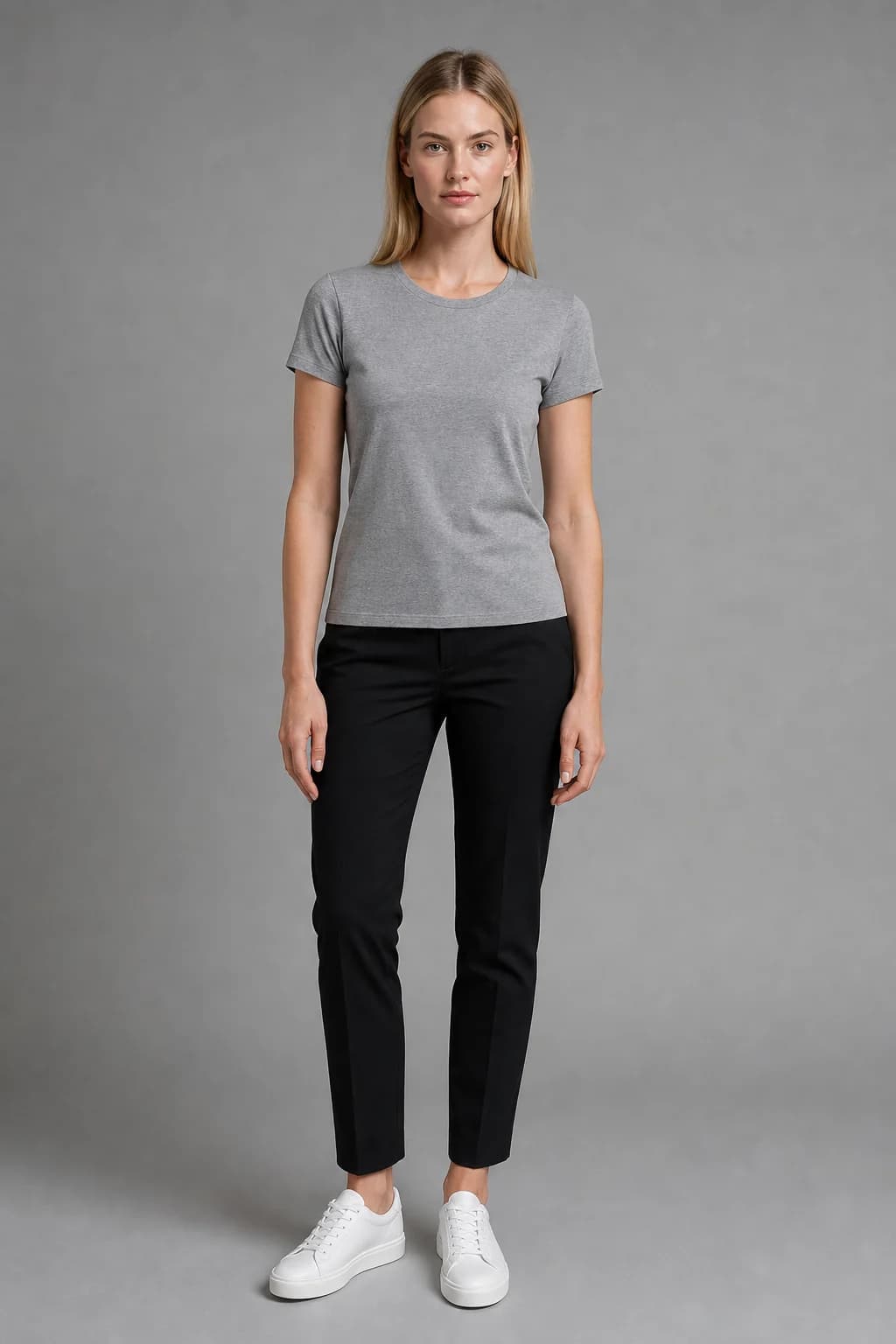
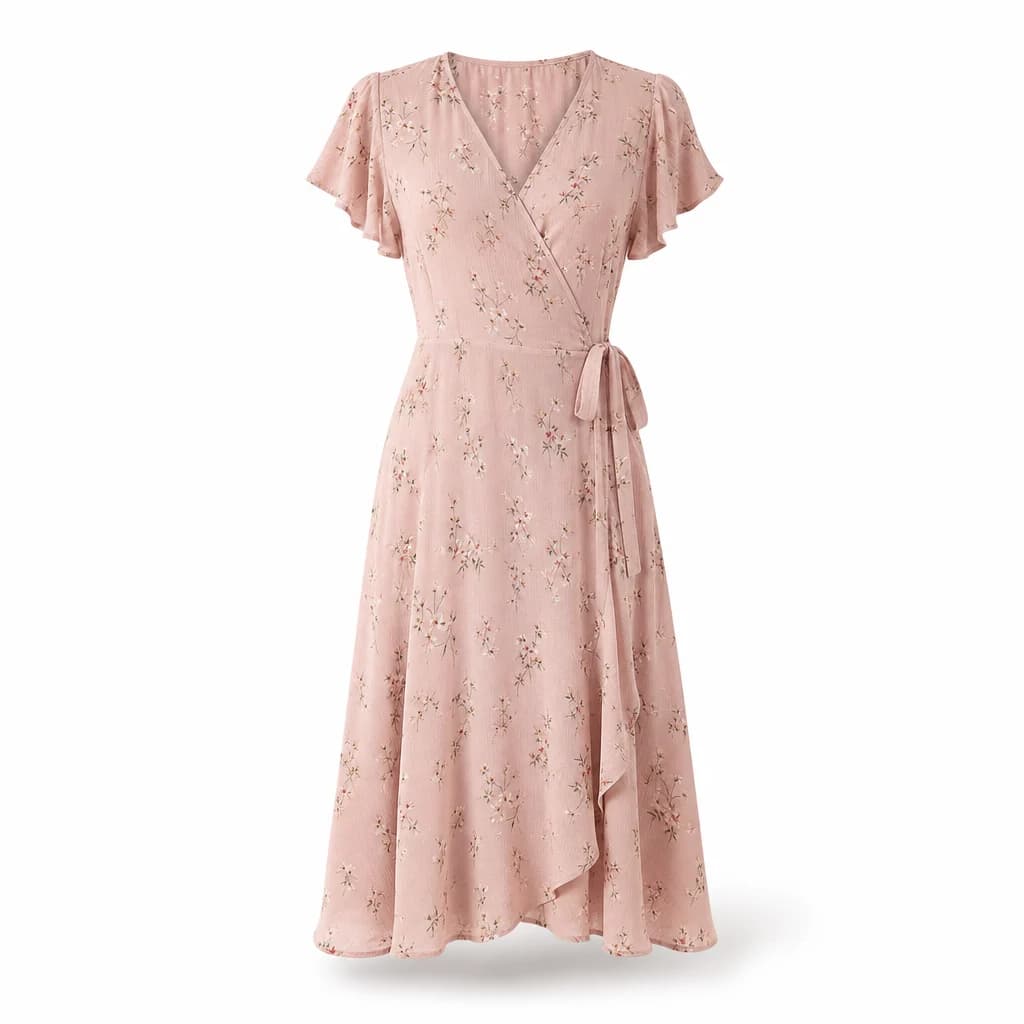
AURA is narrower than most tools here on purpose. You upload one photo of a garment and either pick one of four house models or upload one photo of your own model, choose a template or the pose, scene and light, and get up to 12 editorial on-model photos in a batch, about a minute each. The same face comes back on every garment, any finished photo becomes a short video, and prices or badges are added as an editable text layer rather than drawn by the image model, so they are always spelled as typed.
- Entry plan
- Starter, €29 a month for 150 credits; one credit per photo, video from 3
- Free to try
- A week with 10 photos and 1 video, no card
- Video
- 5, 8 or 12 second clips; 720p on Starter, 1080p from Studio at €89
- Your own model
- Yes, on every plan, or one of four house models
- Integrations
- None: no API, no store app. You download and post
- Formats
- Square, 2:3, 4:5 feed (1080x1350) and 9:16 story (1080x1920)
Checked on AURA pricing.
- Best for: a boutique selling on Instagram or TikTok that wants one recognisable face across the feed and posts that carry prices.
- The catch: no store integration, no API, no ghost mannequin, nothing outside adult clothing, and files at platform sizes up to 1080x1920 rather than 2K or 4K. Our comparison pages say which tool to pick instead for each of those.
Nightjar: catalogs, teams and developers
Nightjar is product photography for catalogs at scale, with or without AI fashion models. Paste a product link and it imports the photos and details, or upload a flat lay, hanger shot or ghost mannequin photo. It can build a custom model from one to five photos of someone who has given permission.
- Entry plan
- Studio, $25 a month for 150 credits; one credit per 1K or 2K image, two for 4K
- Free to try
- 6 credits, no card
- Video
- Not offered: none on its site or in its API docs
- Your own model
- Yes, from 1 to 5 photos, alongside 80+ studio faces
- Integrations
- A Shopify app, and an API on every paid plan
- Resolution
- Up to 4K
Checked on Nightjar, AI fashion models, Nightjar docs, Nightjar on Shopify.
- Best for: a team with a large catalog across categories that wants store intake and an API.
- The catch: no video at all. See AURA vs Nightjar.
Claid.ai: one credit pool across many image tools
Claid is a product photography suite with an AI fashion generator inside it, alongside backgrounds, enhancement and upscaling, all drawing on one pool of credits and all available by API. It accepts flat lays, ghost mannequin images and hanger shots, and lets you pick from its models or upload your own.
- Entry plan
- $15 a month ($108 a year) for 500 credits, for example 125 AI fashion generations at 4 credits each
- Free to try
- 50 credits plus 50 API credits
- Video
- Yes, at 60 credits per 5 seconds
- Your own model
- Yes, upload your own or choose from its models
- Integrations
- API
Checked on Claid pricing, clothing on models.
- Best for: a seller or developer who needs fashion models plus general image editing on one bill.
- The catch: video is expensive in credits, at about eight 5-second clips for the whole entry allowance.
Photoroom: for sellers of more than clothing
Photoroom is a general AI photo editor for sellers, with background removal, batch editing and templates, and an AI fashion models tool inside it that works from flat lays or worn photos and accepts your own model image. If clothing is one category among several, it covers far more ground than any fashion specialist.
- Entry plan
- Pro, $12.99 a month or $89.99 a year, with up to 1,600 AI fashion model generations at 1K
- Free to try
- No free plan; a trial on paid plans
- Video
- Not on Pro; the video generator starts on Max
- Your own model
- Yes, upload a custom model image and save it to your brand kit
- Integrations
- A Shopify app (on Max and up), an image editing API, and iOS and Android apps
- Resolution
- Fashion models at 1K on Pro, 2K from Max
Checked on Photoroom pricing, AI fashion models help, Photoroom on Shopify.
- Best for: a seller who edits product photos across several categories every week.
- The catch: on the entry plan fashion models render at 1K and there is no video. See AURA vs Photoroom and Photoroom alternatives for fashion.
Pixelcut: the cheapest way to put tops on a model
Pixelcut is a general AI photo editor with a virtual try-on tool that shows clothing on AI models or on a photo you upload. It is the cheapest paid plan here, with a free plan below it.
- Entry plan
- Pro, $10 a month ($8 billed yearly), 600 AI credits
- Free to try
- A free plan with limited background removal and upscaling
- Garments
- Try-on works on tops; its own FAQ says trousers, dresses and accessories are coming soon
- Integrations
- A try-on API at $0.10 per image
Checked on Pixelcut pricing, Pixelcut virtual try-on, Try-On API.
- Best for: a shop that mostly sells tops and wants a general editor too.
- The catch: tops only, for now.
The two options most lists leave out
The general AI model you may already pay for. ChatGPT and Gemini can put a garment on a person if you attach the garment and a reference photo, and Google lists Gemini 2.5 Flash Image at $0.039 per image through its API (Google for Developers). For a few images a month that is often enough. Where it struggles is repeatability: the same print, the same face, every week, without re-engineering the prompt. Our comparison with ChatGPT and Gemini and our guide to keeping the same model across photos cover that in detail.
A real photographer. A shoot still produces the best images, with true material behaviour and a photographer's judgement, at a much higher cost per finished image. For campaign imagery it is usually still the right call. Our breakdown of what a fashion photoshoot costs shows where the two cross over.
Also checked but left out for length: Ayna, The New Black, On-Model by PiktID and Uwear. Lalaland.ai now redirects to Browzwear's custom AI models offer for enterprise brands, which our Lalaland comparison covers.
How to choose in five minutes
- You sell more than clothing, or need cutouts and batch editing: Photoroom, or Claid if you also want an API.
- Cost per image decides it: FASHN.
- You need a Shopify app today: Nightjar, Veeton, Modelia or Photoroom (Max and up) list one. Check Botika's listing before relying on it.
- You want someone to retouch the misses: Botika on an annual plan.
- You want ghost mannequin or explicit pose control: WearView, or Photta for ghost mannequin.
- You sell kidswear, shoes, bags or jewellery: Veeton or Photta.
- You sell on Instagram or TikTok and want one recognisable face, video and prices on the image: AURA Studio.
- You need a handful of images a month: try the general model you already pay for first.
How to test a shortlist on your own garments
Every tool's gallery shows its best work on garments chosen to flatter it. Your catalog is the only test that counts, and most tools here let you run it for free.
Pick your three hardest pieces
A busy print, something structured at the shoulder, and something sheer or shiny. Those are where tools differ most.
Use identical inputs everywhere
The same garment photos and, where the tool allows it, the same model photo. Our guide to photographing a garment for AI covers what makes a good input.
Count keepers, not attempts
Note how many generations it took to get each image you would actually post. Most tools charge for every attempt.
Work out the cost per keeper
Divide the plan price by the credits it includes, multiply by the credits each attempt used, then by the attempts per keeper. That number, not the headline price, is what the tool costs you.
Check what you would publish
If you sell in the EU, decide how you will label AI images before you publish them; our labelling guide covers the judgement.
Questions
- What is the best AI fashion photography tool in 2026?
- It depends on what you sell. On prices checked on 2 October 2026, FASHN is the cheapest full fashion studio, Botika has the deepest model gallery and a retouch service, Photoroom suits sellers of more than clothing, Nightjar and Claid suit catalogs and developers, WearView has the most control levers, and AURA Studio is built for boutiques that want one consistent model and post-ready formats.
- Which AI fashion photography tools have a free trial?
- Most do. On 2 October 2026: FASHN gives 10 credits, Photta 20, Nightjar 6, Claid 50 plus 50 API credits, Veeton 100 credits for 7 days, Modelia 20 credits a month with a watermark, Pixelcut has a free plan, Botika offers a free trial, and AURA gives a week with 10 photos and 1 video. WearView has no free trial and offers a money-back guarantee instead.
- Which AI fashion tools make on-model video?
- FASHN, Botika, Veeton, Modelia, Claid and AURA include video on their entry plans; WearView and Photoroom offer it on higher plans; Photta mentions it only on its home page; and Nightjar does not offer video.
- Can I use my own model with these tools?
- Mostly, yes. AURA, Nightjar, Claid, Photoroom, Photta and Pixelcut accept a photo of your own model on self-serve plans, and FASHN lists custom face references on its Agency plan. Veeton, Modelia and WearView let you create a reusable AI model instead. Botika lists custom models only on Enterprise.
- Which AI fashion photography tools work with Shopify?
- On 2 October 2026, Nightjar, Veeton, Modelia and Photoroom (on Max and up) had Shopify apps. Botika's Shopify connector listing read not currently available. FASHN, WearView, Photta, Claid and AURA had no Shopify App Store app.
- Are AI fashion photos good enough to replace a photoshoot?
- For routine product and social images, often yes, at a fraction of the cost. For campaign imagery, a photographer still produces better pictures. Many shops use both: a shoot for the campaign, a tool for the weekly drops.